LinkedIn Scans Your Browser Extensions at Scale; Who's Telling You, and Why, Is Complicated
Take action: Switch to Firefox for LinkedIn, or use a separate Chrome profile with no extensions installed when visiting the site. And load up on all ad and script blocker extensions you can find, like Ublock Origin, Ublock Lite, Privacy Badger...
Learn More
What's happening, why it matters, and what you can do about it
Researchers say every time you open LinkedIn in a Chrome-based browser, a hidden program runs in the background. It checks your browser for thousands of installed extensions - small add-on programs that do things like block ads, manage passwords, or help you search for jobs. It collects the results. It sends them to LinkedIn's servers. You are never asked. You are never explicitly told.
This isn't a rumor or a conspiracy theory. The researchers say the code is sitting in a JavaScript file that LinkedIn serves to every visitor. Anyone with basic developer tools can open it and read it. A LinkedIn engineering manager has confirmed the general practice under oath in a German court filing (obviously in no so many details as the researchers). An investigation called "BrowserGate," run by an association of LinkedIn business users called Fairlinked, has documented the system in detail
This article is based on the BrowserGate investigation published at browsergate.eu, independent reporting, and publicly verifiable code served by LinkedIn to Chrome users. The technical claims can be verified by anyone with Chrome developer tools. LinkedIn and Microsoft have not responded to the allegations as of April 2026.
Update, April 4 2026: Since this article was first shared, important context has emerged about who is behind the BrowserGate investigation. LinkedIn has now responded publicly, telling BleepingComputer that the claims originate from someone whose account was restricted for scraping and violating LinkedIn's Terms of Service. LinkedIn argues the BrowserGate report is an attempt to re-litigate that dispute publicly. has independently confirmed part of the claims through its own testing, observing a JavaScript file loaded by LinkedIn that checked for 6,236 browser extensions so the core technical fact is not in dispute. What is in dispute is who is telling you about it, and why. Read more below.
How does it work?
When you visit linkedin[.]com on any Chromium-based browser: Chrome, Microsoft Edge, Brave, Opera, Arc, and others - LinkedIn loads a large JavaScript file (about 2.7 megabytes) onto your computer. Buried inside that file is a list of over 6,000 browser extension IDs, each paired with the name of a specific file inside that extension.
LinkedIn's code then tries to load that file from each extension, one by one. If the file loads successfully, the extension is installed on your computer. If it doesn't, it isn't. The results are collected, encrypted, and sent to LinkedIn's servers.
This isn't breaking into your computer. Browsers have a feature called "web-accessible resources" that lets websites request certain files from extensions. It was designed for legitimate purposes like letting a website interact with an extension you've installed. LinkedIn uses it at industrial scale to fingerprint what software you're running.
A second system scans the actual structure of the web page you're looking at, searching for traces that extensions leave behind when they modify what's on your screen. Between the two methods, LinkedIn can detect extensions that are simply installed, and extensions that are actively changing what you see.
The whole process runs silently. There's no pop-up, no loading bar, no indication anything is happening. It's invisible.
Why should you care?
Browser extensions are private. They're tools you choose to install on your own computer for your own reasons. Many of them reveal sensitive things about who you are.
- Your religion. LinkedIn's scan list includes extensions like PordaAI, which blurs content considered "haram" in Islam, and Deen Shield, which blocks sites incompatible with Islamic values. If LinkedIn detects one of these on your browser, it's an indicator you may be a practicing Muslim. And that's should not be LinkedIn's problem, or anyone else's for that matter.
- Your politics. The list includes extensions called "Anti-woke," "Anti-Zionist Tag," "No more Musk," and "Vote With Your Money," among others. Each one reveals a political position. That also should not be LinkedIn's problem, or anyone else's for that matter.
- Your health. The list includes an extension called "simplify," described as being designed for neurodivergent users. Detecting it reveals information about your neurological condition - information that employers in most countries are legally barred from asking about. Your health DEFINITELY should not be LinkedIn's problem, or anyone else's for that matter.
- Your job search. LinkedIn scans for 509 job-hunting extensions with a combined user base of 1.4 million people. If you have one of these installed and your LinkedIn profile shows where you currently work, LinkedIn now knows you're looking to leave - on the same platform where your boss, your HR department, and your colleagues can see your profile. Imagine if LinkedIn now starts selling a service "Which of your employees are looking for a job?"
Here's what makes this different from most data collection: LinkedIn is not scanning anonymous visitors. It knows your real name, your employer, your job title, your city, and your professional connections. Every extension it detects can be matched to a specific, identified person for additional profiling.
I don't care, this is a company account?
The implications go beyond individuals. Because LinkedIn knows where every user works, it can aggregate extension data across all the employees at a company. If a dozen people at Company X have a Salesforce extension installed, LinkedIn knows Company X uses Salesforce. If employees at a government ministry are running a particular VPN, LinkedIn knows which security tools that ministry uses.
LinkedIn scans for extensions from over 200 companies that directly compete with its own products, including Apollo, Lusha, and ZoomInfo. This effectively lets LinkedIn build customer lists for its competitors - extracted from users' browsers without anyone's knowledge.
The BrowserGate investigation calls this trade secret theft. Whether courts agree remains to be seen, but the competitive intelligence value is undeniable.
Is this legal - Not clear?
- The EU's General Data Protection Regulation (GDPR) doesn't just regulate the collection of data about religion, politics, and health - it prohibits it, except under narrow conditions like explicit consent. LinkedIn doesn't ask for consent. Its privacy policy does include a general reference to collecting information about "web browser and add-ons," but it makes no specific mention of scanning for thousands of individual extensions or using the results to identify sensitive personal characteristics.
- The EU's ePrivacy rules require consent before accessing information stored on a user's device. This is the same legal principle behind the cookie consent banners you see on every website. Probing your browser for installed software is, legally speaking, the same category of action.
- In Germany, criminal law provisions against unauthorized data access may also apply. A German federal court has ruled that even easily bypassed security measures still count as protections under the law, and deliberately circumventing them is a criminal offence.
- In the UK, the Computer Misuse Act could be relevant.
- In California, the CCPA requires companies to disclose what personal information they collect, and LinkedIn's omission of extension scanning from its privacy disclosures is a potential violation.
LinkedIn and Microsoft have not publicly responded to these allegations as of April 2026.
Who is behind BrowserGate?
The BrowserGate investigation is published by Fairlinked e.V., which describes itself as a trade association for commercial LinkedIn users. But Fairlinked's own credits page lists its board members as S. Morell, J. Liebling, and M. Sayed. Steven Morell and Jan Liebling are listed as Managing Directors of Teamfluence Signal Systems OÜ Teamfluence, the Estonian company behind a Chrome extension called Teamfluence a social selling tool that harvests LinkedIn engagement signals like profile visits, likes, and comments, and feeds them into automated sales pipelines.
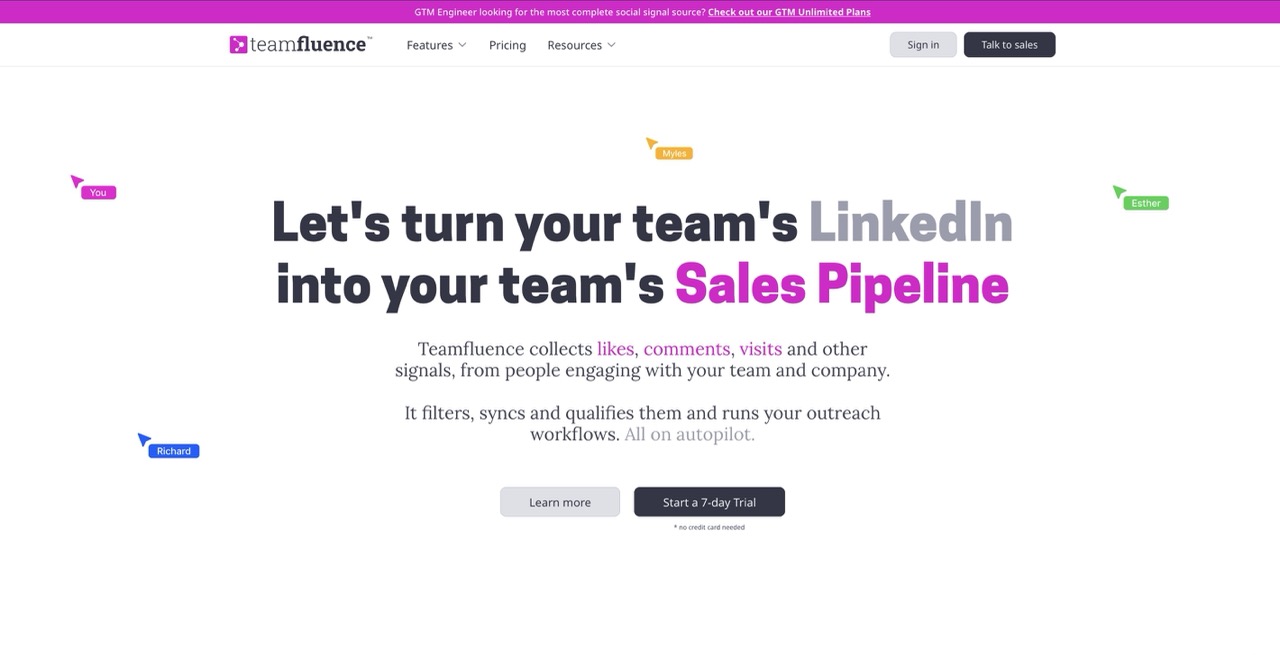
Teamfluence uses a browser extension to capture LinkedIn signals from team members' profiles and can automatically enrich contacts with email and phone data. In other words, Fairlinked is not an purely independent consumer advocacy group, it is at least influenced by the founders of a company whose Chrome extension is exactly the kind of tool LinkedIn's scanning system would detect and potentially block.
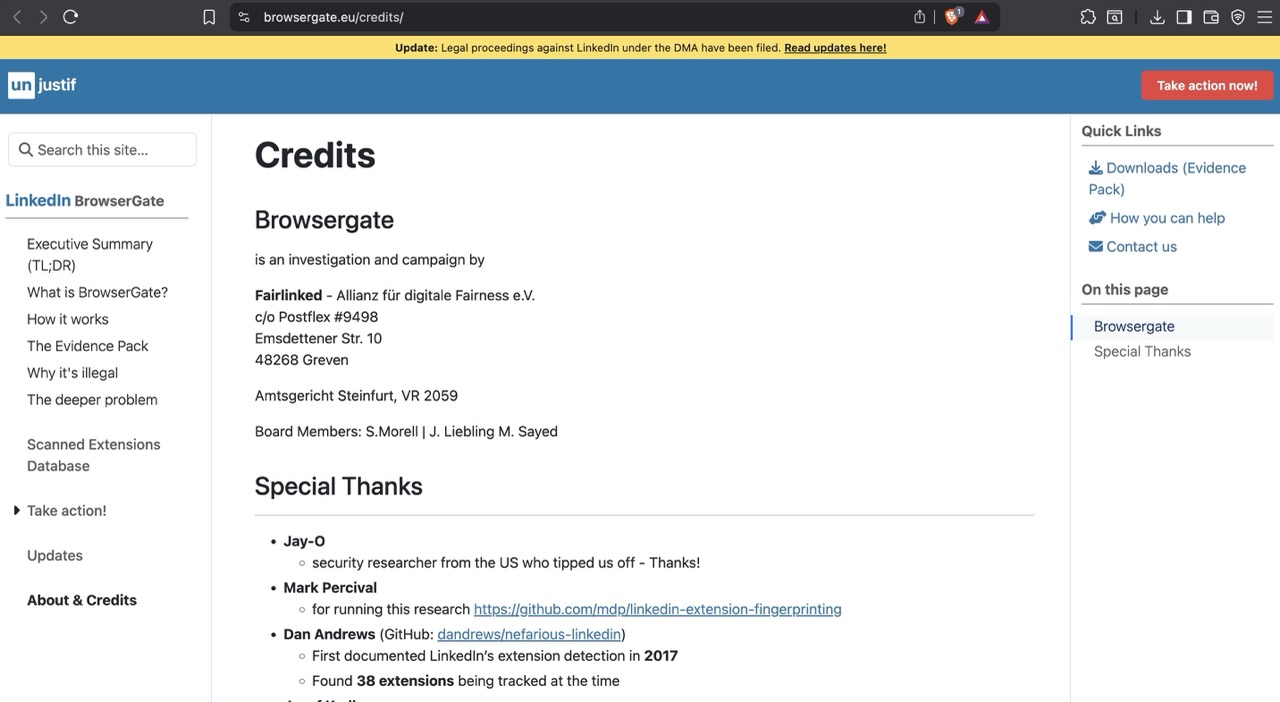
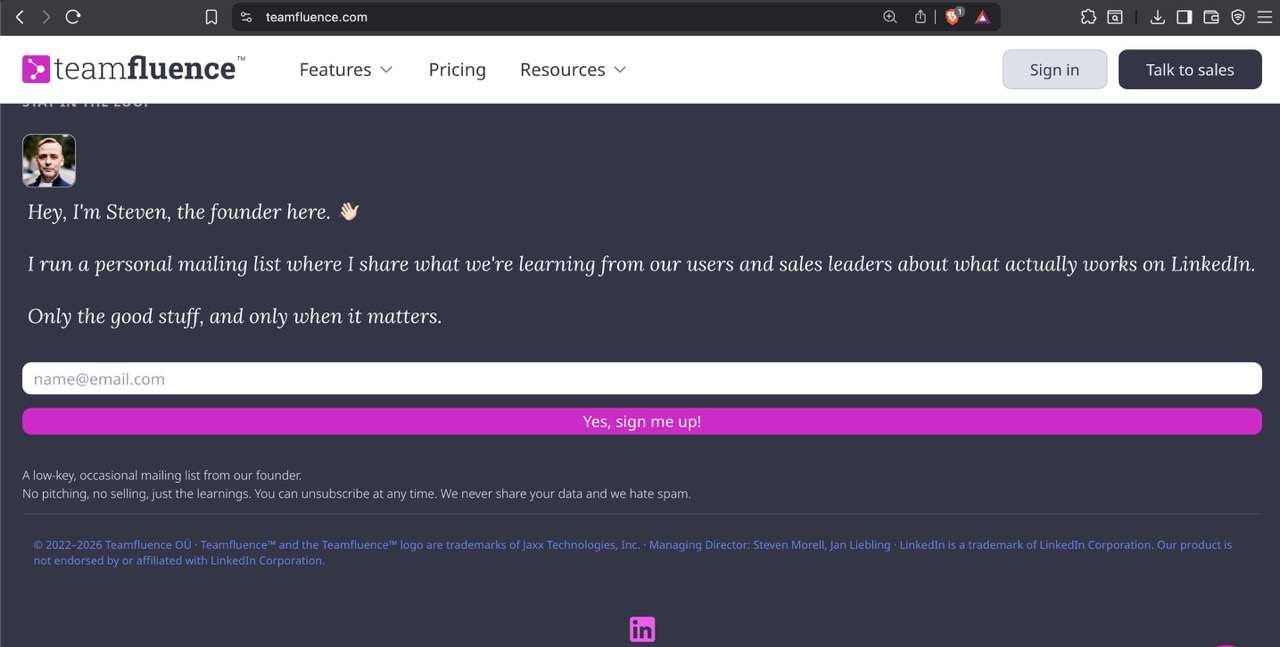
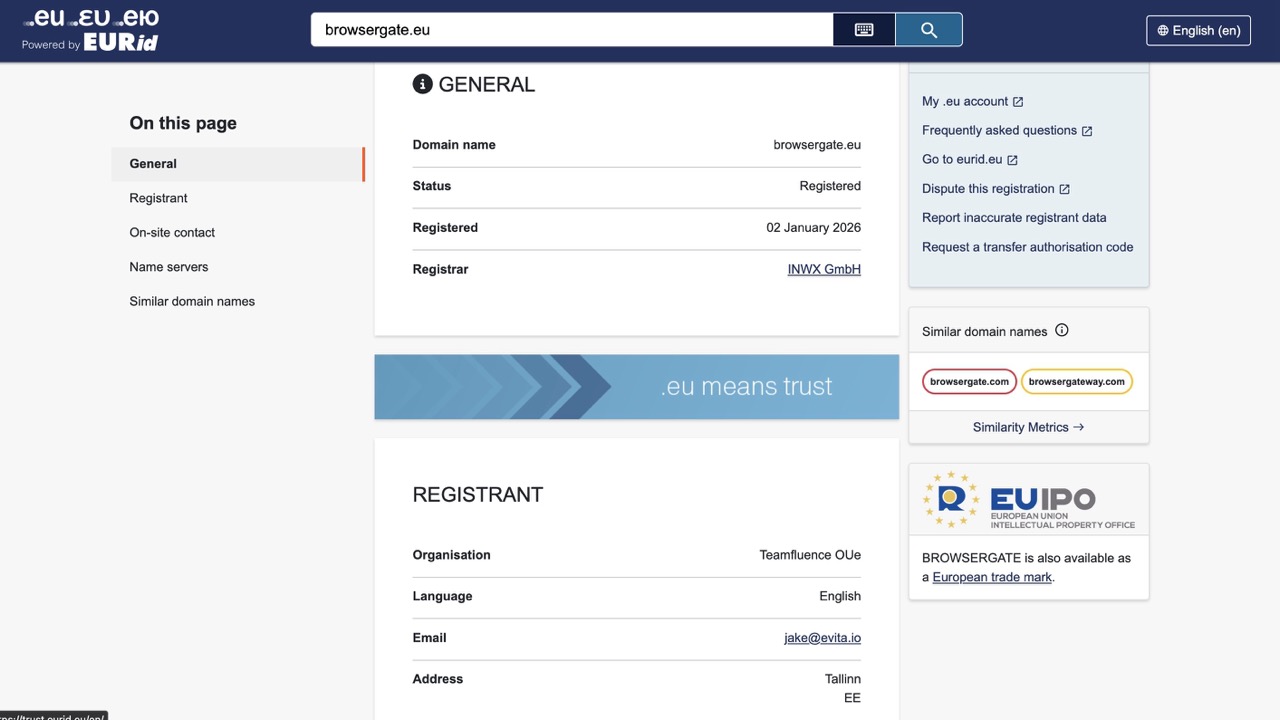
The commercial stakes are plain. Teamfluence Signal Systems OÜ filed a preliminary injunction against LinkedIn Ireland and LinkedIn Germany at the Regional Court of Munich in January 2026, citing alleged violations of the Digital Markets Act, EU competition law, and German data protection rules. LinkedIn says it restricted Teamfluence's accounts for violating its terms of service, and a German court denied the developer's request for a preliminary injunction, finding that LinkedIn's actions did not constitute unlawful obstruction. The BrowserGate website, the browsergate.eu domain (registered to Teamfluence OÜe on January 2, 2026), the legal case, and the media campaign all appear to be parts an effort influenced and registered by a company that has a direct financial interest in preventing LinkedIn from detecting third-party extensions that operate on its platform.
The technical findings are not wrong
BleepingComputer independently confirmed that LinkedIn's script checks for over 6,000 extensions, and noted that the number has grown from roughly 2,000 in 2025 to over 6,000 today. Teamfluence does not appear to engage in mass scraping, and LinkedIn is considered a gatekeeper under the EU's Digital Markets Act with obligations around interoperability. The privacy concerns about scanning for religious, political, and health-related extensions are legitimate regardless of who raises them.
But readers should know that this investigation was conceived, funded, and published by people with a direct commercial grievance against LinkedIn and that the "association of LinkedIn business users" framing obscures what is fundamentally a dispute between a platform and a company whose business model depends on accessing that platform's data through a browser extension.
What can you do?
The good news is that protecting yourself is straightforward.
- Switch to Firefox/Waterfox. This is the single most effective thing you can do. The scanning code only runs on Chromium-based browsers. Firefox uses a different extension system, and the detection technique doesn't work. If you use Firefox, the scan never runs.
- Use a separate browser profile for LinkedIn. If you want to keep using Chrome, create a second browser profile with no extensions installed. Use that profile only for LinkedIn. The scan will run, but it will find nothing. Load it up with adblockers like Ublock Origin and Privacy Badger.
- Install fewer extensions. Every extension you have installed is a potential data point. Remove anything you're not actively using.
- If you're in Europe, exercise your rights. You can file a GDPR subject access request asking LinkedIn to tell you exactly what extension data it holds about you. You can also file complaints with your national data protection authority. The BrowserGate website has template letters for both.
The bigger picture
Extension fingerprinting is not a technique LinkedIn invented. Security researchers have known about it for years. What's unusual here is the scale - thousands of extensions, scanned on every page load - and the fact that it's done by a platform that knows exactly who you are.
Most websites that fingerprint your browser are doing it to anonymous visitors for fraud prevention or analytics. LinkedIn is doing it to identified professionals, and linking the results to real names, real employers, and real job titles. That transforms a privacy nuisance into something much more serious.
Whether this ultimately results in regulatory action, lawsuits, or criminal investigations remains to be seen. Legal proceedings under the EU's Digital Markets Act have reportedly been filed. But regardless of what regulators do, the practical defence is simple: don't visit LinkedIn with a browser full of extensions, or switch to one that doesn't expose them.