Scammers use search forms to display fraudulent contact numbers on Apple, HP, Netflix and others
Take action: Never call phone numbers that appear embedded in website URLs or search results, as scammers inject fake contact info into legitimate sites to appear trustworthy. Always verify support numbers by visiting the company's official website directly or checking your official account dashboard, never through search results or email links.
Learn More
Cybersecurity researchers have detected a tech support scam campaign that exploits search parameter injection vulnerabilities to show fraudulent phone numbers on the legitimate websites of major technology and financial companies.
This way criminals use legitimate web pages of brands to scam victims into calling a scam call center, to then be persuaded to give personal data, credit card numbers, and install malware on their computers.
The technique, is called search parameter injection, and exploits the mechanism in which many websites implement the search functionality. The search functionality can be run in one of two ways:
- By entering the search string in the form, and pressing search
- By making a URL link that will contain the search string like
https://legitimate-company.com/search?q=Call%20Now%20555123456
In both cases, the searched string is shown in the search box with any results below.
By crafting an URLs that embeds fraudulent contact information directly into legitimate search parameters, scammers cause authentic websites to display fake phone numbers prominently and an illusion of legitimacy that significantly increases the likelihood of successful victim engagement.
The scam campaign can have one of two attack vectors
- Sponsored advertisements on Google Search in which criminals purchase advertising placements through Google's ad platform, creating advertisements that impersonate major brands seeking technical support services. Since sponsored ads appear at the top of search results for queries related to customer support, it's very probable that the victims will click on them.
- Phishing emails with fake invoices or alerts of abuse, warnings of cancellation etc. The email contains a link to a valid legitimate support site, with the fake call center as a search parameter in the link.
In both cases, victims are led to the legitimate site, but the first thing they see is a number for them to call. And it's very probable that they call it, since it's displayed on the legitimate site.
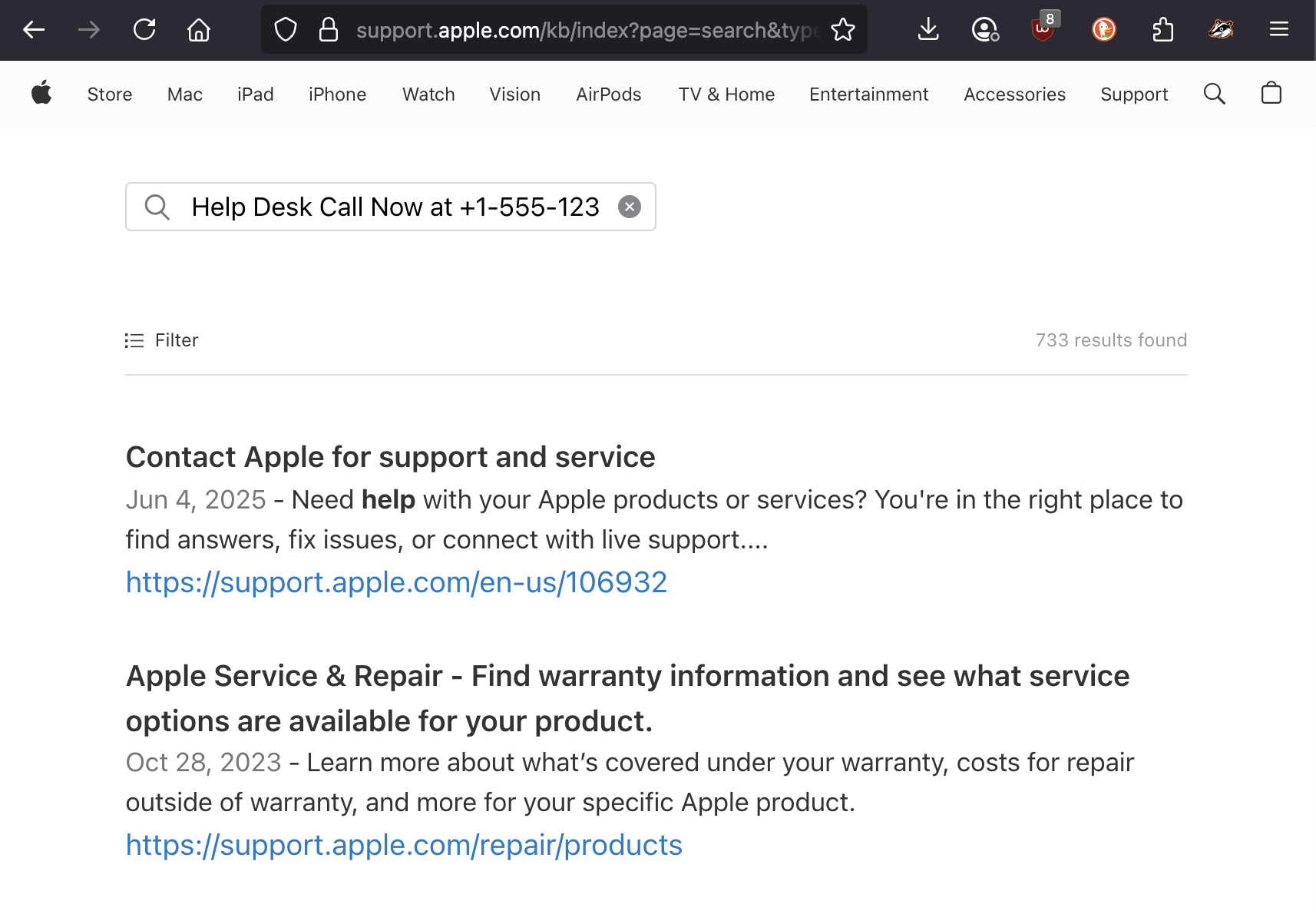
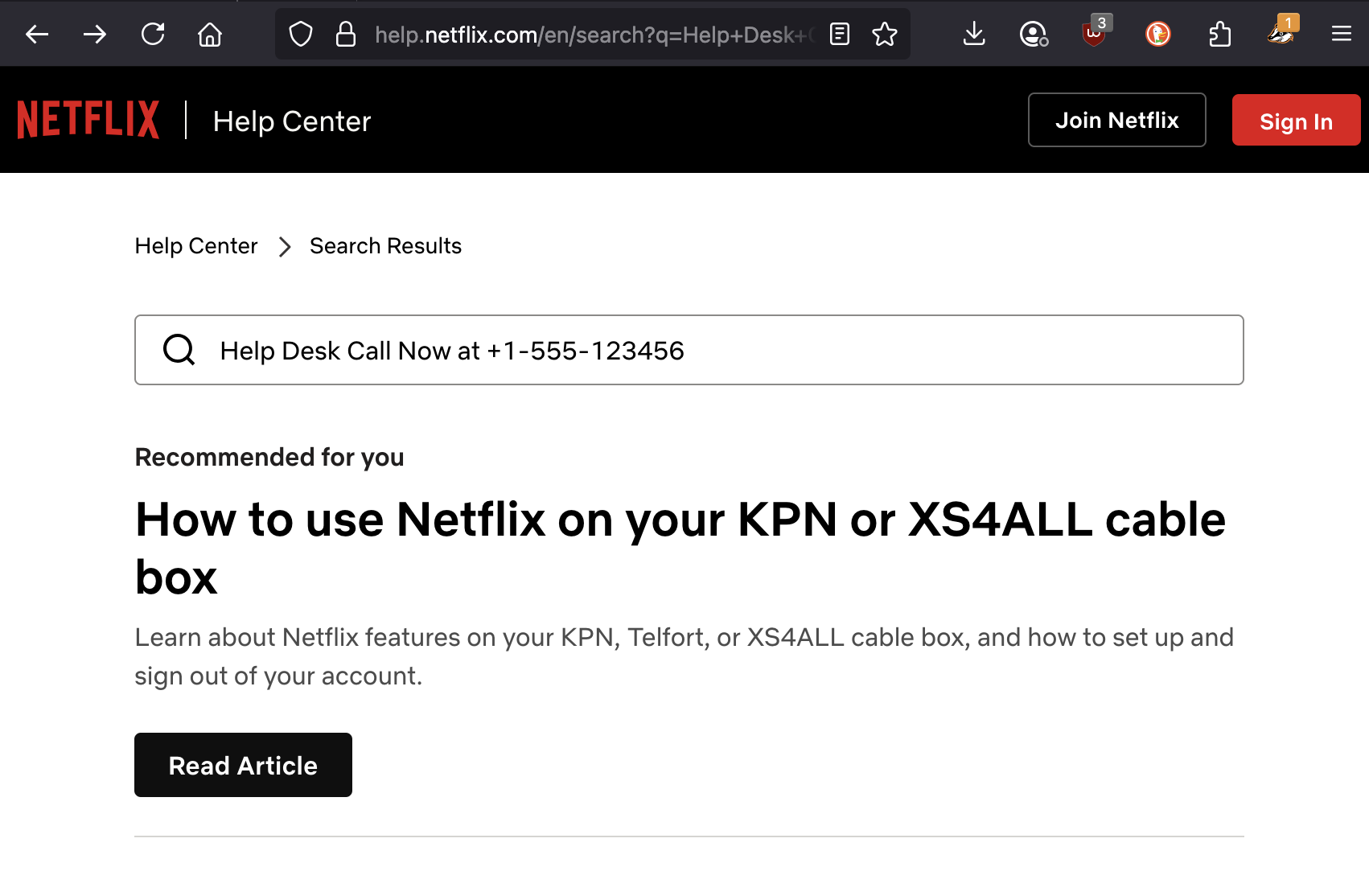
Confirmed targets include at least Apple, HP and Netflix but may contain many others.
Users of financial services companies including Bank of America and PayPal are at very high risk from these attacks, as successful scams targeting their platforms can lead directly to financial losses for victims.
Once a victim calls the scammer call center, they are asked for:
- Personal identification details such as names, addresses, dates of birth, and Social Security numbers
- Financial account information including credit card numbers, banking details, and online account credentials
- Login credentials for online services, email accounts, and social media platforms
- Authorization for remote computer access through screen-sharing software
- Payment authorization for fraudulent services or software purchases
In cases involving technology companies like Apple, Microsoft, or Netflix, scammers typically focus on convincing victims to purchase unnecessary software or services, provide remote access to their computers for alleged malware removal, or surrender login credentials for account takeover attempts.
How to stay safe?
- Check the text in the address bar/link - Phone numbers appearing in website URLs are a red flag, as legitimate websites typically do not embed contact information directly in URL / Link
- Don't fall for the implied urgency - Terms that imply urgency such as "Call Now" or "Emergency Support" in the address bar or on a search page is also not expected
- Install AdBlocker - google ads are removed if you install an ad blocker, removing the chance of the user seeing the advertised scam link. Install Ublock Origin, Ublock Lite and Privacy Badger on ALL browsers, and don't use Chrome (chrome blocks adblockers because google earns money from ads)
- As usual, don't trust ANY unexpected emails and don't click links od call numbers from unexpected emails.