Fake bank payment phishing attack via compromised email
Take action: Vague unexpected emails are VERY suspicious. ALWAYS ask yourself - why am I receiving this, and don't rush. Consult with technical people, NEVER click links or files in such emails. Always check via independent channels - reach out to companies directly on the site/phone of the company.
Learn More
A phishing attack leveraging a compromised legitimate business domain (mostwastl.com - an Austrian hotel) to steal Google account credentials. The attackers are using legitimate emails to pass through antispam systems easily since valid domains usually have proper DMARC, SPF and DKIM settings that make emails from them more acceptable.
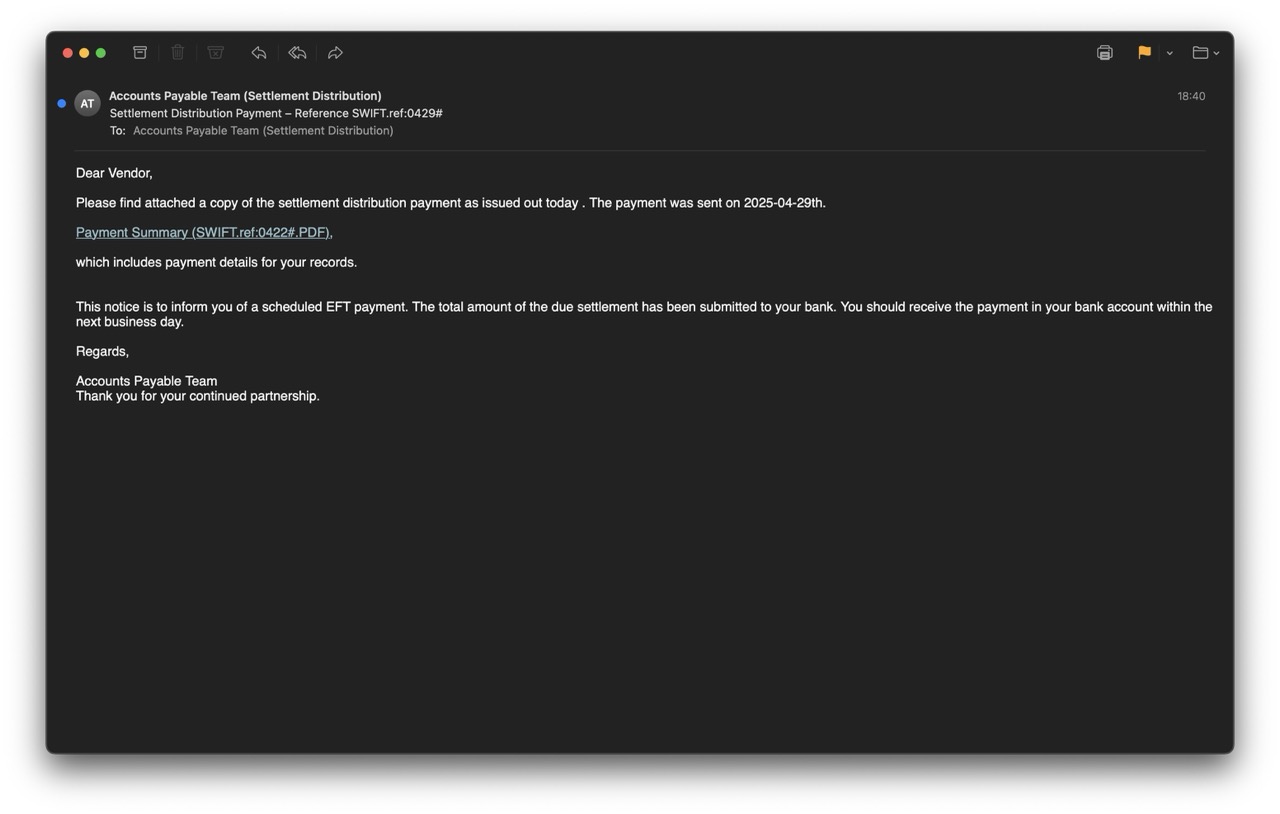
The attackv that begins with a fake payment notification email and ends with a fake Google login page.
The email is sent from settlement.distribution.note@mostwastl.com and poses as an "Accounts Payable Team (Settlement Distribution)".
The subject line of the email "Settlement Distribution Payment – Reference SWIFT.ref:0429#" is designed to create urgency and curiosity because it implies payment of funds. The email claims a payment has been sent and provides a link to view "Payment Summary (SWIFT.ref:0422#.PDF)"
The obvious red flags are:
- unexpected message
- vague wording (dear vendor, your bank, accounts payable team with no name of company)
- A more careful reading finds first red flag - the reference numbers differ between subject line (0429#) and link text (0422#)
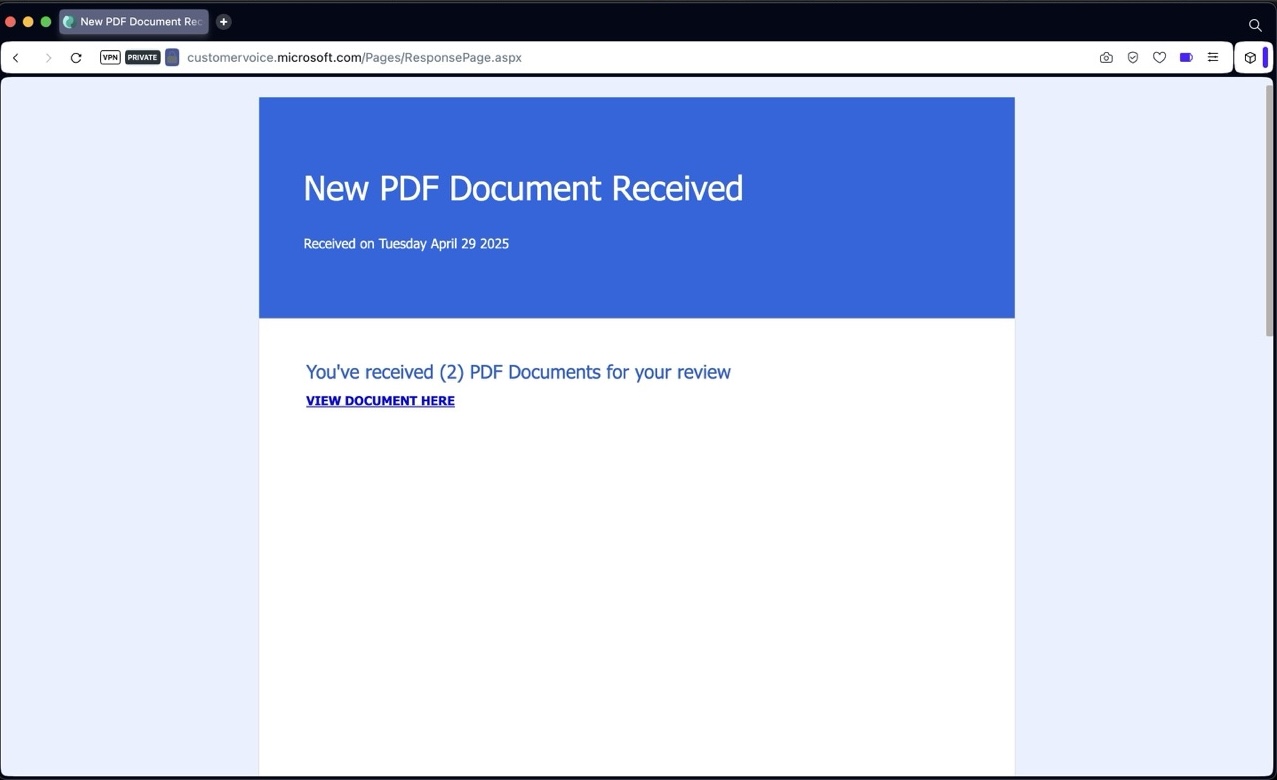
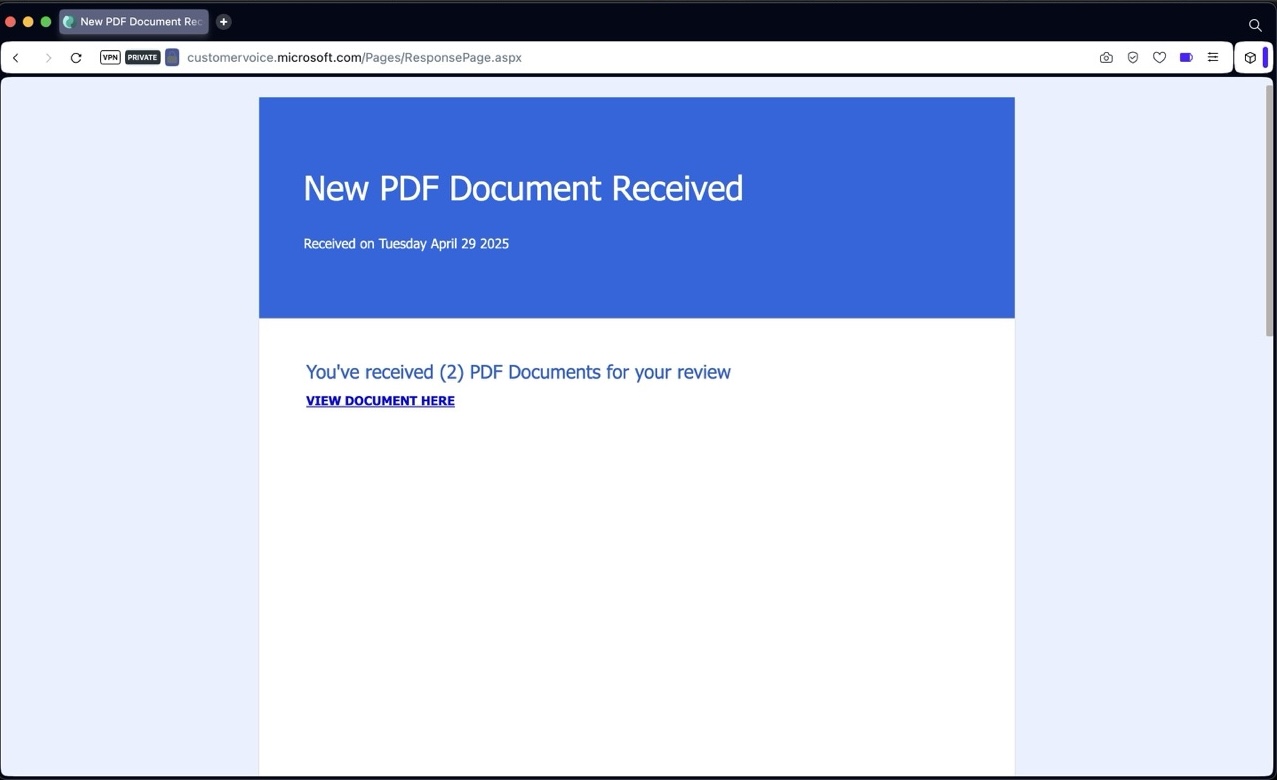
The email link leads to Microsoft Forms (customervoice.microsoft.com) link - which is a very legitimate looking domain, and is also probably abused through the compromised business domain to create the first page of the scam, and also to fool anti-phishing systems which evaluate email links for trust.
The link on the page redirects to a phishing page on very weird URL: w2zcvt18nf6vogduwn.thvfnfrxxtl.es/... followed by a tracker string. The page renders Gmail login page designed to steal email credentials.
The phishing page contains a lot of defensive logic to redirect to legitimate Google if analysis is detected (like debuggers or traffic interception).
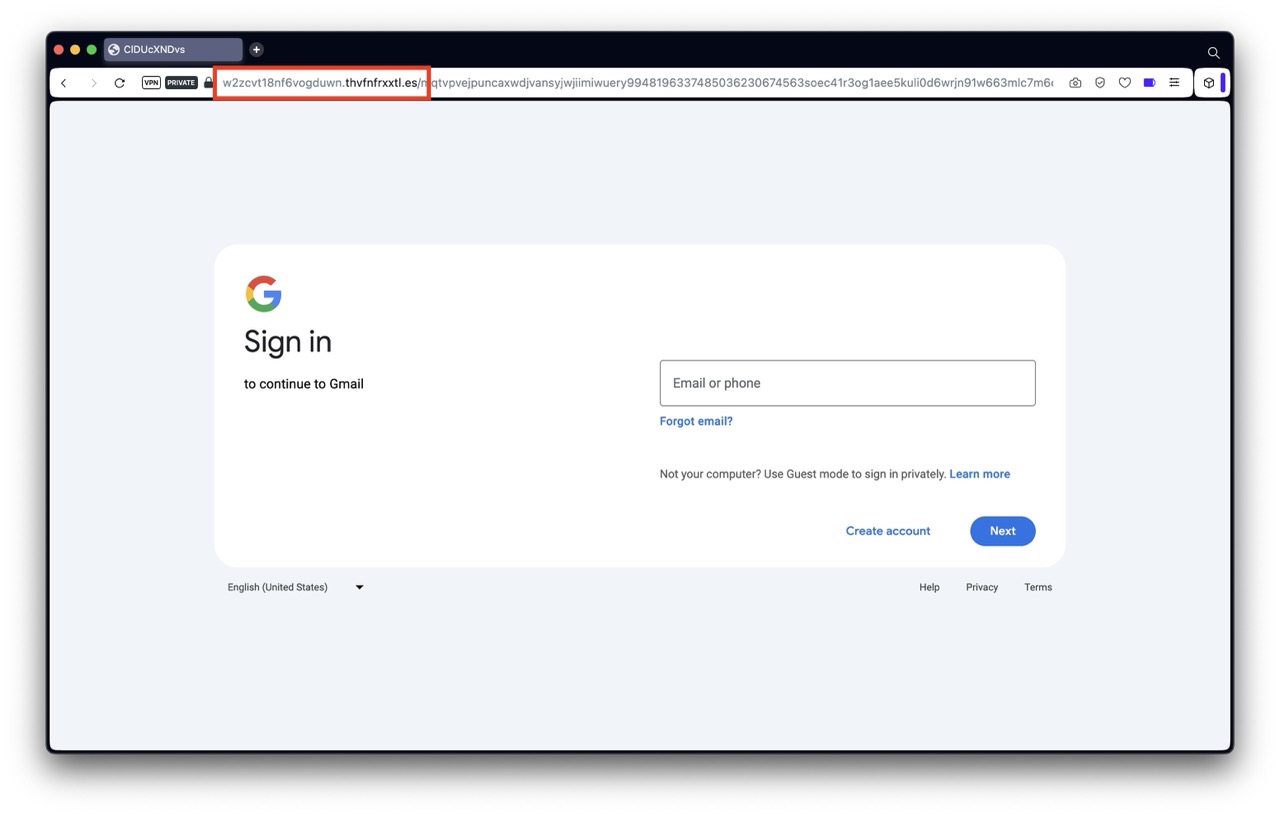
The attack aims to steal google account credentials (email and password) and potentially second-factor authentication codes if the flow continues. If the attackers successfully log in to Google while the victim enters data, they gain access to all locations where the victim has access with their Google account - think both Google mail, documents but also any sites where the victim logs in with Single Sign On (Login with Google).
The attack is very dangerous because it will pass most email security checks, and uses Microsoft services in the attack chain which are usually deemed as trusted domains.
How to stay safe?
- DON'T RUSH - Think about the unexpected email. Ask yourself, why am I receiving this? Report unexpected suspicisous emails to your security team or consult with a technical person.
- Trust Nothing Unexpected - Treat all unexpected messages as suspicious
- Don't trust links or files - Do not click links or open files in unexpected emails, even if they appear legitimate
- Sender name can be faked - Always check the sender email address, not the displayed name in the email
- Verify independently - Verify payment information directly via known, legitimate channels (not via any phone or link in the unexpected emails)
If you've clicked, immediately change your Google password, log out all logged-in sessions and enable 2FA