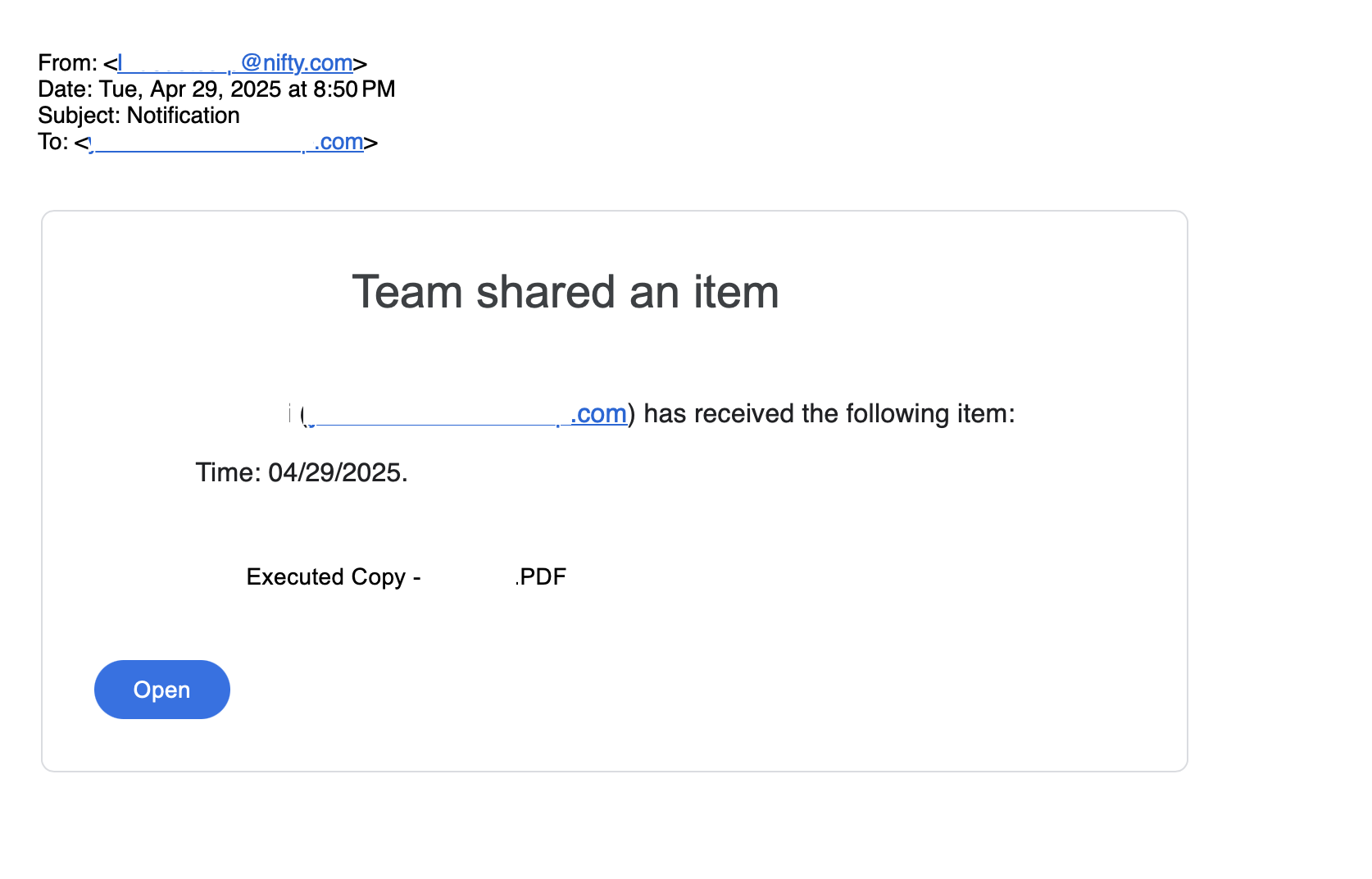
Phishing Attack faking link to signed contract and very advanced scam site
Take action: Always verify the sender's email address before clicking anything and the actual URL in your browser's address bar before entering any credentials. Always check notifications claiming to be from a reputable companies directly on the site/phone of the company that you acess independently. Never through links or files in the unexpected email.
Learn More
An active phishing campaign is targeting corporate employees through emails that impersonate Google Drive file sharing notifications. The objective is to steal Google credentials from the targets through a very advanced website that shows near-perfect replica of Google sites.
The attackers are using a multi-stage attack designed to steal Google account credentials
This attack aims to collect:
- Google account credentials (username and password)
- Multi-factor authentication codes
- Access to all Google services (Gmail, Drive, Docs, etc.)
- Potential access to other accounts using the same credentials
The attack starts with an email that resembles a Google Drive file sharing notification from a vague name "Company_Name Team". The sender is company_name@nifty.com. The attackers have registered emails with various company names at the Japanese ISP nifty.com as a sender platform.
This enables them to send emails to targets from a valid and confirmed mail servers of the ISP and successfully bypass most spam and phishing filters.
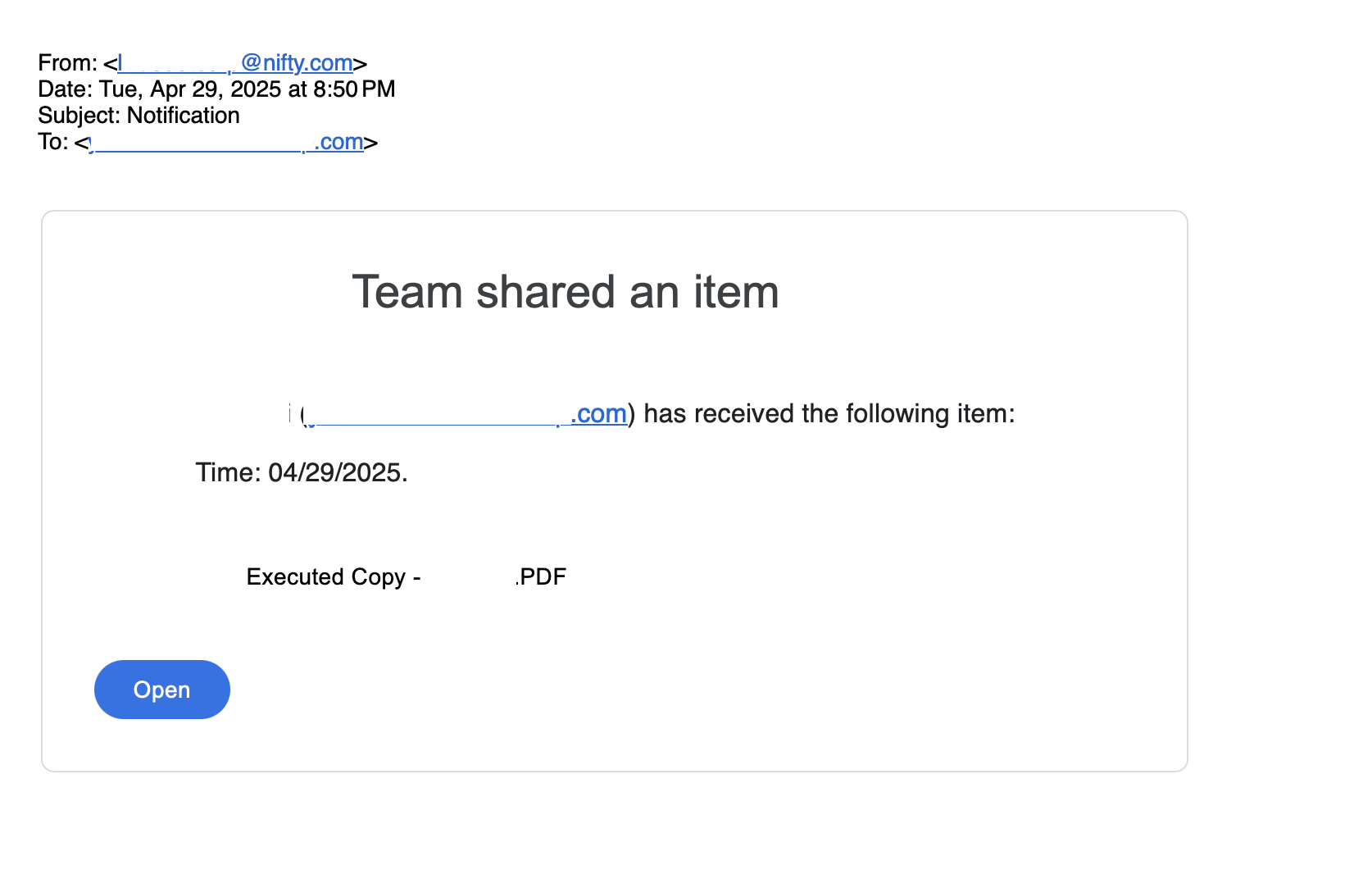
The "Open" button contains a disguised malicious URL:
- Shows
drive.google.comin the hover text preview
Clicking the link leads to a series of redirects that ultimately bring the user to a site on mueykt.sbs domain. The page is first a Cloudflare verification page to confirm that the user is human. This prevents automated security scanning and blocking of the scam website.
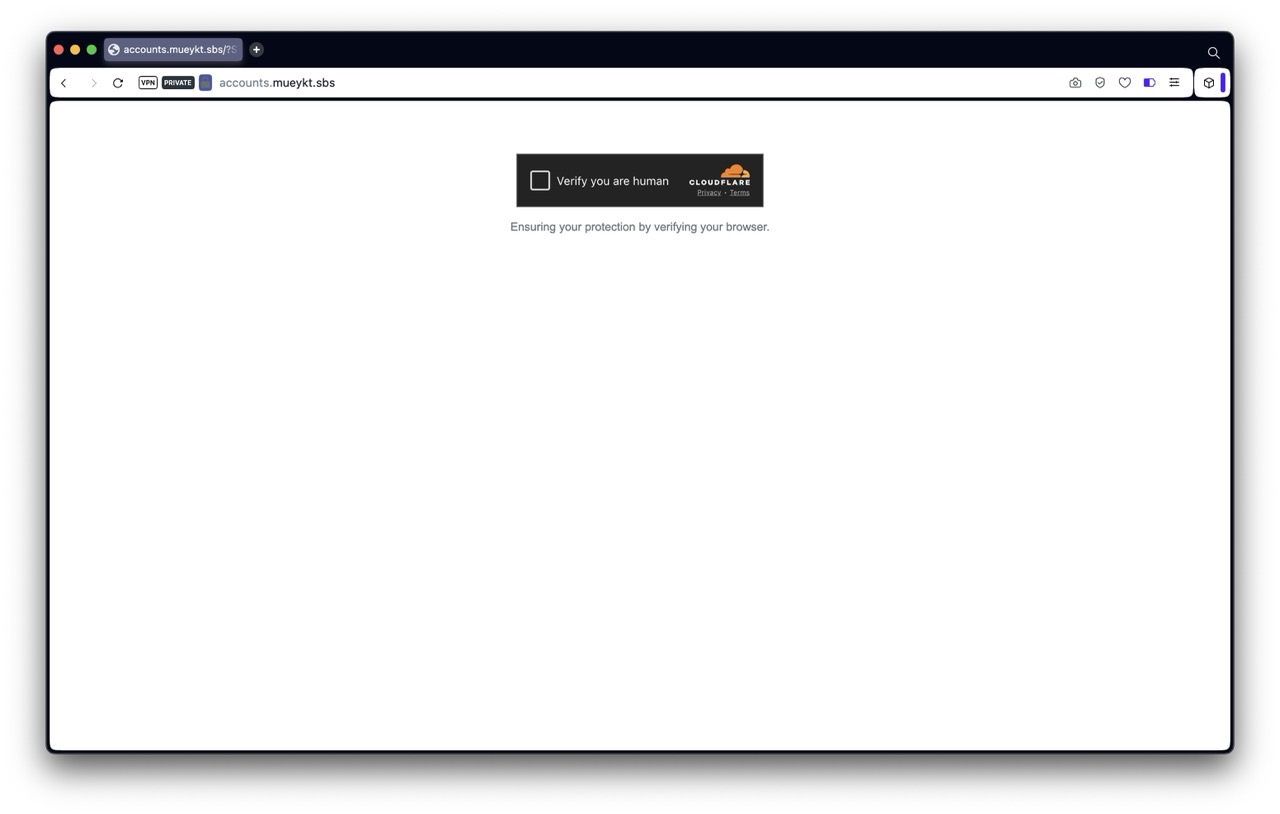
After passing the verification page, the victim is brought to a page on the mueykt.sbs domain that precisely mimics Google Drive sharing notifications with authentic-looking styling and layout.
This site is not a static clone of Google, since every single functionality works - even the support links, but on pages on the mueykt.sbs domain. The site appears to function as a dynamic proxy that:
- Intercepts all data entered
- Rewrites all links to maintain the illusion
- Mirrors Google's actual login workflow in real-time
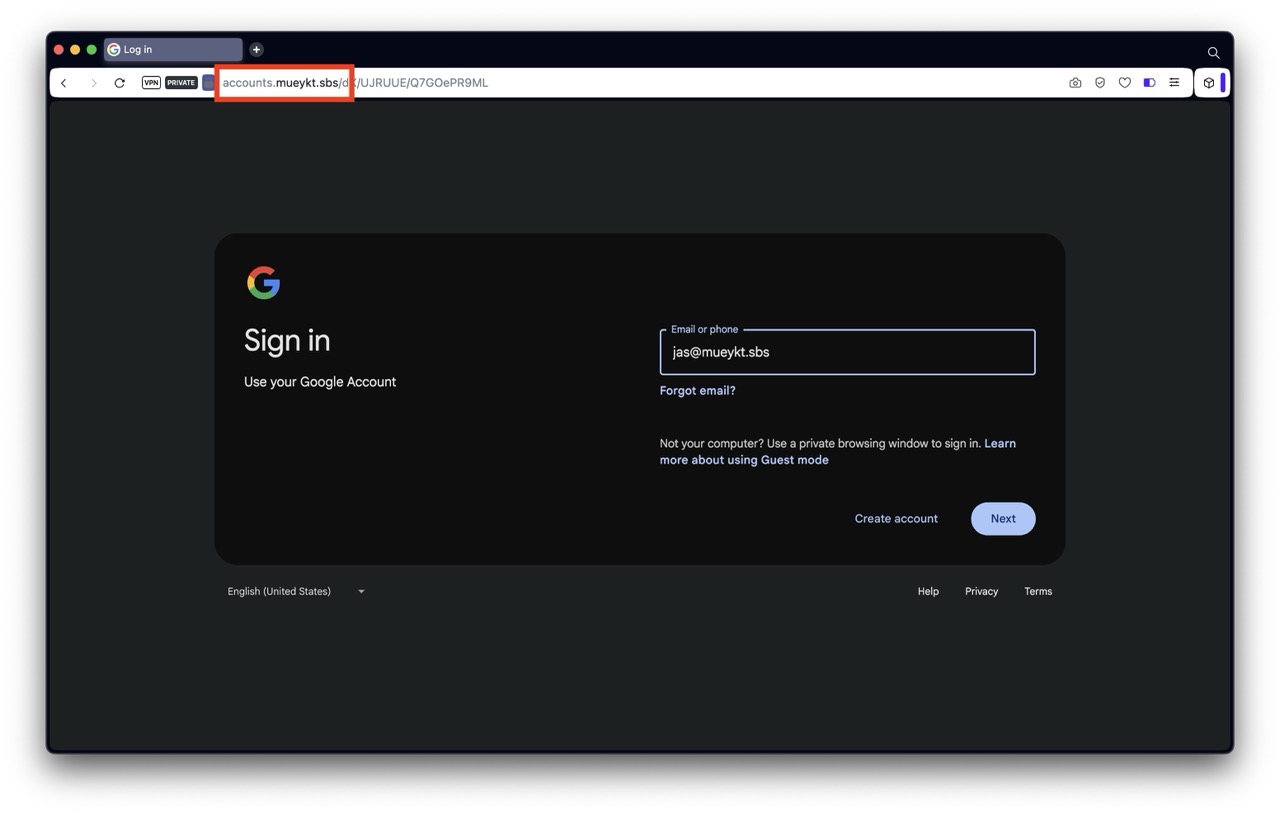
The domain mueykt.sbs has nothing to do with Google. It's only 12 days old at time of attack.
Using a proxy to Google pages enables the attackers to immediately use the entered credentials and MFA codes, gaining access to all locations where the victim has access with their Google account - think both Google mail, documents but also any sites where the victim logs in with Single Sign On (Login with Google).
How to stay safe?
- Trust Nothing Unexpected - Treat all unexpected messages as suspicious
- Always check the sender email address, not the displayed name in the email
- Always check the full URL in the address bar, and whether it matches what's on the page
- Direct Access - Instead of clicking links, go directly to drive.google.com and check if a document was actually shared
- DON'T RUSH - Don't click on links or open files. Report unexpected suspicisous emails to your security team or consult with a technical person
- Use different passwords for different services and enable strong MFA on all accounts